
Note AI Gateway requires the AI Governance Add-On. As of Coder v2.32, deployments without the add-on will not be able to access AI Gateway.
Kilo Code allows you to configure providers via the UI and can be set up to use AI Gateway.
Centralized API Key
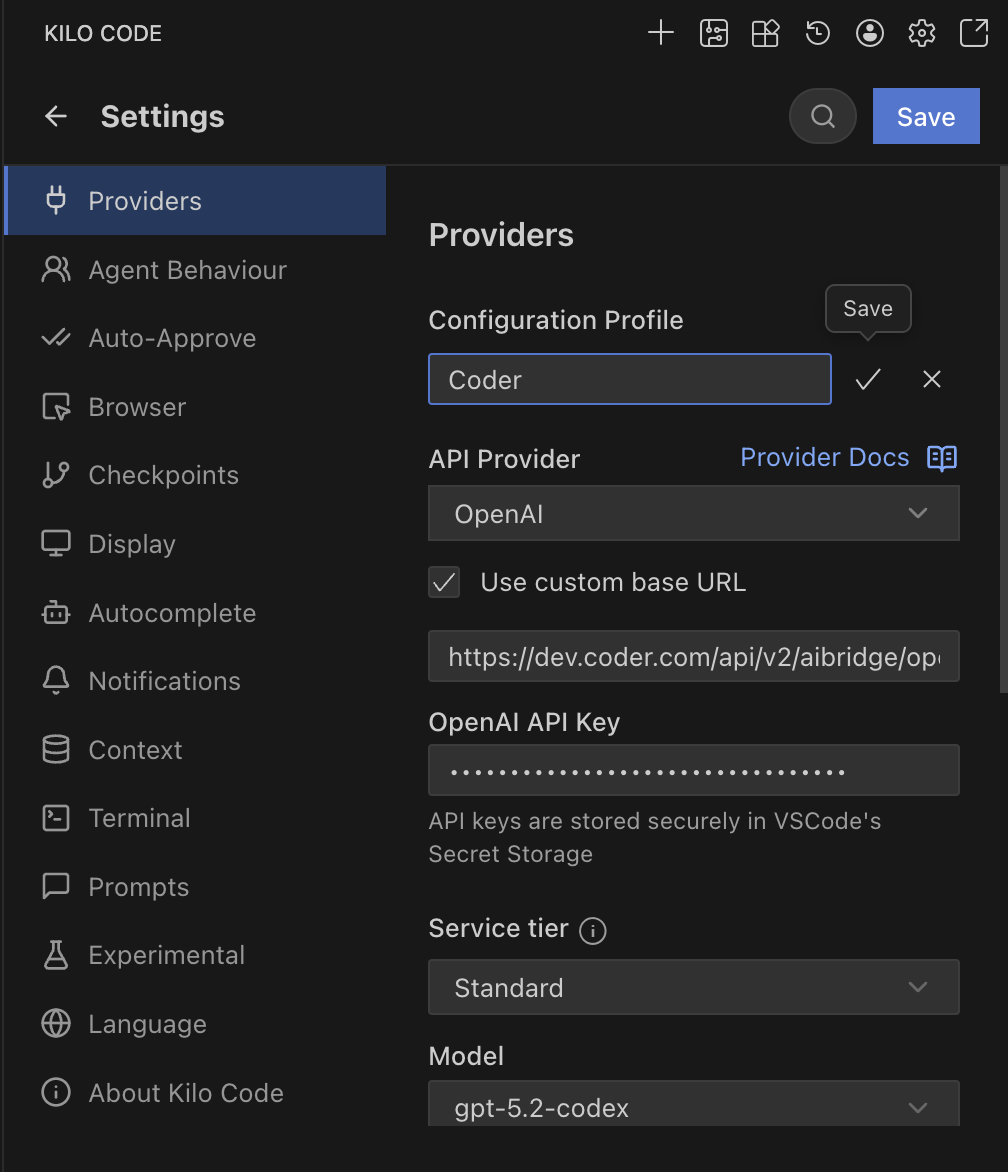
OpenAI Compatible
- Open Kilo Code in VS Code.
- Go to Settings.
- Provider: Select OpenAI.
- Base URL: Enter
https://coder.example.com/api/v2/aibridge/openai/v1. - API Key: Enter your Coder API token.
- Model ID: Enter the model you wish to use (e.g.,
gpt-5.2-codex).
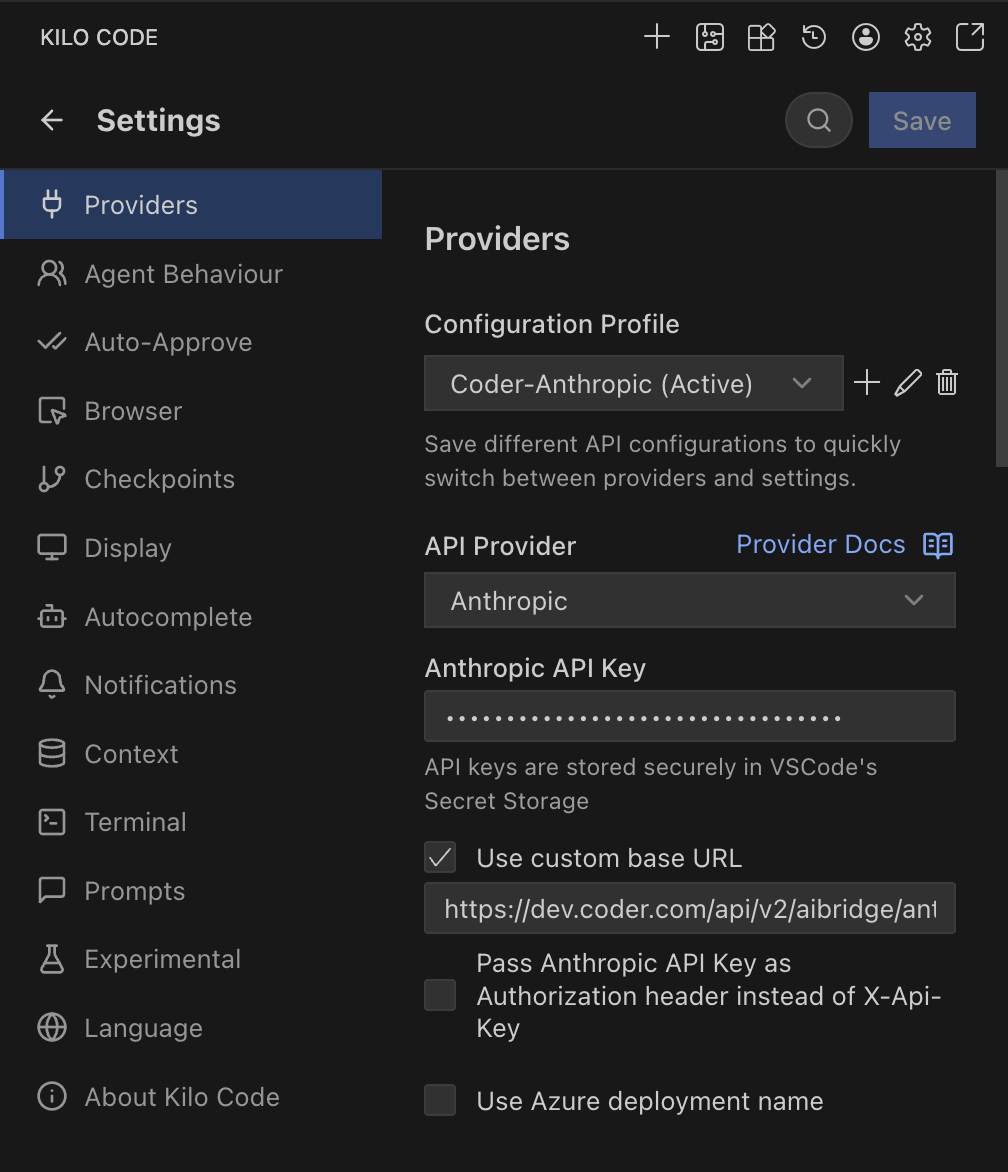
Anthropic
- Open Kilo Code in VS Code.
- Go to Settings.
- Provider: Select Anthropic.
- Base URL: Enter
https://coder.example.com/api/v2/aibridge/anthropic. - API Key: Enter your Coder API token.
- Model ID: Select your desired Claude model.
BYOK (Personal API Key)
Note Kilo Code supports sending custom headers, but the integration does not currently work reliably with AI Gateway.
References: Kilo Code Configuration